Voice isolation for cleaner recordings.
Use AI voice isolation to reduce background noise in audio or video. Upload a recording and download cleaner speech on a paid plan.
Same take, two versions.
The original keeps everything the microphone heard. The isolated version keeps the voice and drops the rest — play both and judge for yourself.
Interface illustration — not a measured result or a playable sample.
Upload, separate, download.
Any interview, field recording, or screen capture up to 100 MB. Phone recordings work as well as anything else.
Speech is lifted away from room tone, traffic, hum, and music. You get a before and after player to compare.
Ready to edit, transcribe, or publish. Keep your original — isolation is not reversible once you overwrite it.
One button, one job.
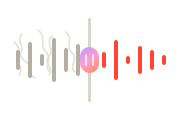
No thresholds or noise profiles to set. Upload and press the button — there is one setting, and it is on.
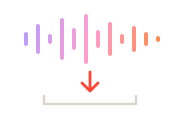
Two stacked players and two waveforms, so you can hear what was removed before you commit to the result.
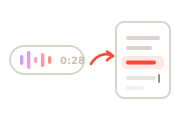
Take the clean file straight into your editor, or hand it to Speech to Text for a better transcript.
Most of what people upload is a voice memo recorded somewhere noisy. That is the case this is built for.
Recordings worth rescuing.
Air-conditioning hum and a laptop fan run underneath the whole episode. Removing them lifts perceived quality more than any EQ.
You cannot re-record a street interview. Strip the traffic and the answer becomes usable instead of unusable.
Review every transcript against the recording. Audio quality, accents, overlapping speech, background noise, names, and jargon can cause errors.
Tape hiss and handling noise on a digitised cassette. The voice underneath is usually more recoverable than people expect.
What it does, and what it can't.
Keep the voice, lose everything else
A recording is a mix of everything the microphone heard at once: the person talking, the room they were in, and whatever else was happening. Isolation separates those layers and keeps only the speech, rather than turning down frequencies and hoping the voice survives.
That is why it behaves differently from a noise gate. A gate cuts everything below a threshold, which also clips the quiet ends of words. Separation understands what is voice and what is not, so the words stay whole.
It also means the result is a genuinely different file rather than a filtered one. Keep your original: if a cleaned version loses something you wanted — a little room ambience that made an interview feel present — you want to be able to go back rather than start again from a recording you overwrote.
What it can and can't fix
Steady background noise is the ideal case — traffic, air conditioning, fan hum, tape hiss, room tone. These are consistent, the system separates them cleanly, and the result usually sounds like a different recording.
What it cannot fix is a voice that was never captured properly. Heavy clipping, where the signal was recorded too loud and the peaks are gone, is not recoverable — that information no longer exists in the file. Extreme distance from the mic and severe wind buffeting are similarly hard. It also does not separate two people talking over each other: it isolates voice from background, not one speaker from another.
The practical rule is that isolation improves a recording that has a usable voice buried in it. It will not manufacture a voice that was never there. If you have the choice, getting the microphone closer still beats any amount of cleanup afterwards.
The short version.
Pick a plan when you're ready.
Isolation is not metered separately — it is included on every paid plan, so pick the plan that fits the rest of your work.
Every account starts with a one-time allowance of 500 free characters that never refills — no card required.For hobbyists getting started with AI voice.
/ month
For creators publishing every week.
/ month
For teams and heavy production.
/ month
- Studio HD and Turbo voice models
- MP3, WAV and FLAC downloads
- Emotion, speed and pitch control
- Sound cues and pronunciation dictionary
Questions about isolation.
Steady background noise comes out best: traffic, air conditioning, fan hum, tape hiss, and general room tone. Music underneath speech is usually reduced substantially. Sudden one-off sounds — a door slam, a cough — are less predictable, because they overlap the voice in time rather than sitting behind it.
The aim is a voice that sounds like the same person in a quieter room. Because separation understands what is speech, words keep their quiet endings — unlike a noise gate, which clips them. Very aggressive noise overlapping the voice can leave slight artefacts; the before/after players exist so you can judge.
MP3, WAV, M4A, and MP4 up to 100 MB per file. Video is fine — the audio track is processed and returned as audio.
Processing time varies with input size, the selected model, and provider availability.
Uploads and results are stored with your account history. Request account-data deletion at contact@illumind.software. Provider retention and legally required records may limit erasure.
No — it isolates voice from background, not one speaker from another. If two people talk over each other, both are kept as "voice". VoiceMate does not currently label speakers; use a dedicated diarization tool when you need who-said-what.