Text to speech that sounds human.
Paste your script, choose a voice, and use our AI voice generator to create audio you can preview and download.
Start with a script.
Edit the script and switch voices right here. Press Generate to take your draft into the studio — generating audio needs a free account.
From script to audio in three steps.
Processing time varies with input size, the selected model, and provider availability.
Generation limits depend on the selected model. The studio shows the supported script length.
Filter 440+ voices by language, gender, age, and style, then set speed, pitch, and emotion. Preview before you spend a character.
Choose MP3, WAV, or FLAC in the studio. Available audio settings depend on the selected model.
Everything in one editor.
Voices, controls, cloning, and celebrity parody all live in the same screen. You never export to a second tool to change a voice.

Every voice is a real catalog entry with a language, accent, age band, and style — not a generic slider. Filter to the four that fit and audition them side by side.

Select AI-generated voices across supported languages. Preview voices and test pronunciation with your own text.
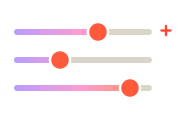
Three sliders and an emotion select. Slow a narration to 0.9× for audiobook pacing, or lift pitch two semitones for a brighter ad read.
Choose MP3, WAV, or FLAC in the studio. Available audio settings depend on the selected model.
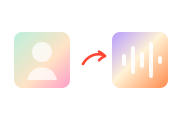
Clones appear in the same voice picker as the catalog. Thirty seconds of clean audio builds one; Starter includes three slots.
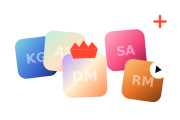
200+ stylized impressions for memes and fan edits, 14 of them free. Parody only — not recordings of the people portrayed.
Built for the work you're already doing.
Each of these has its own page with the voices that suit it and a script sample you can generate straight away.
Generate narration from your script. Preview each result to check pacing and consistency.
Audiobook voicesGenerate narration from your script. Preview each result to check pacing and consistency.
Social media voicesCommercial and authoritative styles for thirty-second spots. Test six reads of the same line before you commit to one.
Advertising voicesCalm, professional voices for course modules. Update a lesson script and regenerate that module alone, in the same voice.
E-learning voicesWarm, low-volume reads that stay clear over a phone line. Add a new menu option without booking the original reader again.
IVR voicesSlow the pace below 1× and pick a warm voice — the pauses do the work. Popular with sleep-story and breathwork channels.
Meditation voicesHow AI text to speech actually works.
What is AI text to speech?
Text to speech turns written words into spoken audio. Early systems stitched together recorded fragments, which is why they sounded clipped and mechanical. Modern neural systems instead predict the whole shape of a sentence — where the pitch rises, how long a pause runs, which word carries the stress — and generate the waveform from that.
The practical result is that a paragraph of text sounds like someone reading it rather than a machine announcing it. It is used most for narration people do not want to record themselves: audiobooks, course modules, video voiceovers, phone menus, and accessibility readers for long articles.
How VoiceMate generates speech
You pick a voice from the catalog, paste your script, and generate. Each voice is a distinct model with its own language, accent, age, and default style, so choosing "British English · Storytelling" is choosing a specific reader rather than applying a filter to a generic one.
Choose MP3, WAV, or FLAC in the studio. Available audio settings depend on the selected model.
Six voices, six jobs.
Real catalog entries with their real descriptions. Press play to hear each one read the same line.

A youthful and conversational female voice, natural and authentic.
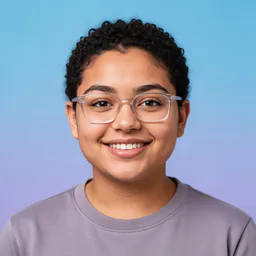
A kind-hearted and calm young adult female with a general American accent, speaking with gentle warmth.

A compelling adult female voice with a British accent, suitable for broadcast and formal announcements.

An expressive adult male voice with a British accent, perfect for engaging audiobook narration.

A professional adult male news presenter with a clear British accent, designed for formal news reporting.

A steady and reliable adult female voice with a general American accent, perfect for clear and consistent broadcasting.
Three ways to get a voiceover.
A hired actor still wins on interpretation and direction. These are the trade-offs that actually decide it.
| VoiceMate | Record it yourself | Hire a voice actor | |
|---|---|---|---|
| Cost | Included in your monthly characters | Free, but it costs you the recording time | Usually billed per finished minute |
| Turnaround | Processing time varies | Depends on recording and editing | Depends on the reader’s availability |
| Revisions | Each regeneration uses plan characters. | Re-record and match your old levels | Often a new session and a new invoice |
| Languages | 40, from the same editor | Only the ones you speak well | One per actor you hire |
| Consistency | Use the same voice; delivery can vary. | Varies with your voice, room, and mood | Varies between sessions |
The short version.
Pick a plan when you're ready.
Every account starts with 500 free characters. The number that matters here is the monthly character allowance.
Every account starts with a one-time allowance of 500 free characters that never refills — no card required.For hobbyists getting started with AI voice.
/ month
For creators publishing every week.
/ month
For teams and heavy production.
/ month
- Studio HD and Turbo voice models
- MP3, WAV and FLAC downloads
- Emotion, speed and pitch control
- Sound cues and pronunciation dictionary
Questions about text to speech.
You get 500 characters as a one-time free generation, with no card. That is a short paragraph, roughly 30 seconds of audio — enough to judge a voice on your own script, not enough to produce with. Paid plans start at $9.99 a month for 50,000 characters. If you want an unlimited free option, the browser-based reader tool has no length limit, but it uses your device's voices rather than ours.
Yes, on every paid plan — Starter and up include commercial usage rights for client work, monetized videos, ads, and published audiobooks. Audio generated on the free allowance is for personal, non-commercial use.
Choose MP3, WAV, or FLAC in the studio. Available audio settings depend on the selected model.
The catalog holds 440+ AI voices across 40 languages, each tagged with language, accent, gender, age band, and style — plus 200+ celebrity-style parody voices and any voices you clone yourself.
Choose MP3, WAV, or FLAC in the studio. Available audio settings depend on the selected model.
A character is one letter, space, or punctuation mark in your script. A minute of finished narration is roughly 800–900 characters, so Starter's 50,000 characters is about an hour of audio a month; Pro's 1,000,000 is audiobook scale.
Yes — record or upload about 30 seconds of clean audio and VoiceMate builds a clone that appears in the same voice picker as the catalog. Starter includes 3 clone slots; higher plans include more.
No — the allowance resets at the start of each billing period. If you regularly finish the month with a large surplus or shortfall, moving down or up one plan usually fits better than stockpiling.