AI sound effect generator for any scene.
Turn text into sound with our AI sound effect generator. Describe an effect, choose a duration from 1 to 10 seconds, preview it, and download MP3.
Type the sound, hear the sound.
Five free effects to start. Duration runs from one to ten seconds, or leave it on Auto and let the prompt decide.
Describe, generate, download.
Describe the sound in detail, generate a take, and adjust your prompt if needed. Results and processing times vary.
One to ten seconds. Auto reads your prompt and picks — a door creak wants two seconds, rain ambience wants ten.
Not quite right? Adjust two words and generate again. Every result stays in your history so you can compare takes.
Built for iteration.
No sample libraries to search and no tagging vocabulary to learn. You write a sentence and get a sound.
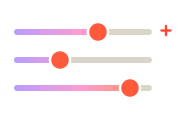
Set an exact length for a hit or a transition, or leave it on Auto for ambience. Ten seconds is the current ceiling.

Eight worked examples — ocean waves, thunderstorm, city street, fireplace, forest birds and more — to edit rather than start blank.
Each result plays inline with a waveform and downloads in one click, ready to drop onto a timeline.
Every effect you generate stays in History with its prompt, so you can compare four takes of the same door and pick one.
Five free, then 100 a month on Starter, 300 on Creator, and unlimited on Pro — iteration stops being something you ration.
Where a generated effect beats a library.
Describe the sound in detail, generate a take, and adjust your prompt if needed. Results and processing times vary.
Prototype audio fast — generate six variations of a footstep on gravel and drop the one that fits into the build.
Scene-setting beds for narrative episodes — a rainy street, a quiet kitchen — described in the words your script already uses.
Short, dry clicks and confirmations at one second or less, where the whole brief is "soft but definite".
Foley on no budget. Generate the specific sound the scene needs instead of settling for the nearest free download.
Follow and donation stingers nobody else has, matched to your channel rather than the same three packs everyone uses.
Prompting a sound is a skill.
Describe it, hear it
Generated sound effects work the way image generation does: you describe what you want in ordinary language and the system produces new audio matching that description. Nothing is retrieved from a library — the file you download did not exist before you asked for it.
That matters most for sounds nobody thought to record. A stock library has forty door creaks, but probably not the one inside a stone hall with the echo you can hear in your head. Generation is how you get the specific one.
Writing prompts that work
Three details do most of the work. Name the space — a stone hall, a small kitchen, an open field — because reverb is what makes a sound feel located. Name the material: wood, metal, gravel, glass. Name the distance, near or far.
Then add intensity if it matters: "heavy", "gentle", "sudden". Avoid stacking three unrelated sounds into one prompt — generate them separately and layer them in your editor, which also gives you control over the mix.
Generate or use a stock library.
Describe the sound in detail, generate a take, and adjust your prompt if needed. Results and processing times vary.
| Generate it | Stock library | |
|---|---|---|
| Exact-match sounds | Describe the specific one you need | Search, audition, settle for the nearest |
| Licensing | Commercial use on any paid plan | Varies per track and per library |
| Cost | Included in your monthly effects | Per-track fees or a subscription |
| Iteration speed | Change two words, generate again | Back to searching |
The short version.
Pick a plan when you're ready.
Sound effects are metered per generation, so the number that matters is how many you can make each month.
Every account starts with a one-time allowance of 500 free characters that never refills — no card required.For hobbyists getting started with AI voice.
/ month
For creators publishing every week.
/ month
For teams and heavy production.
/ month
- Studio HD and Turbo voice models
- MP3, WAV and FLAC downloads
- Emotion, speed and pitch control
- Sound cues and pronunciation dictionary
Questions about sound effects.
Yes — commercial usage rights are included on every paid plan, which covers monetised videos, games, and client work. There is no per-track licence to check, because the sound was generated for you rather than licensed from a catalogue.
Describe the sound in detail, generate a take, and adjust your prompt if needed. Results and processing times vary.
Effects run from one to ten seconds. Set an exact duration for hits and transitions, or leave it on Auto and the prompt decides — a creak wants two seconds, rain ambience wants ten.
Each effect downloads as MP3 · 128 kbps audio, ready to drop onto a timeline in Premiere, Resolve, CapCut, or any DAW without conversion.
Five free to start, then 100 a month on Starter, 300 on Creator, and unlimited on Pro. Every generation counts as one effect, including retakes.
Yes — generating again with the same or a tweaked prompt produces a new take, and every take stays in your history with its prompt so you can compare them side by side.