Speech to text for audio and video.
Convert audio or video with speech to text. Review a punctuated transcript, add optional timestamps, and export TXT or SRT files.
Drop a file, read it back.
Ten minutes of audio on the free tier, no card. Timestamps are optional, not an extra step.
Interface illustration — not a measured result or a playable sample.
[00:00] Today we discussed the project plan. The next step is to review the draft. [00:12] We will collect feedback before publishing.
Upload, wait, edit.
Processing time varies with input size, the selected model, and provider availability.
MP3, WAV, M4A, or MP4 up to 25 MB. Video works the same as audio — you do not need to strip the track out first.
Leave the language on auto-detect or pick one. Turn timestamps on for subtitles, off for clean prose you can paste into a document.
Copy the text straight out, or export TXT for documents and SRT for subtitle tracks. Everything stays in your history.
A transcript you can actually use.
MP3, WAV, M4A, and MP4 all go in the same box, with direct private uploads up to 25 MB.
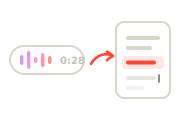
Full stops, commas, and capitals come back in place, so the transcript reads as prose rather than an unbroken block of words.

Time markers are a toggle. On for subtitle work and quote-hunting; off when you want text to paste into a draft.

Leave the language on Auto and the transcript identifies the spoken language for you. You can still choose a language explicitly when you know it.
TXT for documents and notes, SRT for subtitle tracks that drop into Premiere, Resolve, or YouTube directly.

Ten minutes free, then 120 a month on Starter, 600 on Creator, and 2,400 on Pro — about forty hours of audio.
What people transcribe most.
Get a searchable text version so you can find the quote you half-remember instead of scrubbing the recording for it.
Turn a recorded class into notes you can annotate. Timestamps let you jump back to the part that lost you.
Record once and write the summary from text. Timestamps make it easy to return to the source audio when you need more context.
A full transcript is both your show notes source and the thing that makes an episode findable in search.
Export SRT and drop it onto the timeline. Most viewers watch muted first, so this is usually the highest-value hour you spend.
Talk an idea out on a walk, then get it back as text you can edit. Faster than typing and better than forgetting it.
How transcription works, and where it struggles.
From recording to clean transcript
Speech recognition converts the sound of speech into words, then a second pass adds the things people expect from written text: sentence boundaries, capital letters, and punctuation. That second pass is why a modern transcript reads like prose instead of a stream of lowercase words.
If you asked for timestamps, each segment keeps its position in the audio, which is what makes SRT export and quote-hunting possible. VoiceMate does not currently assign speaker names or diarize multi-speaker recordings.
What affects accuracy
Review every transcript against the recording. Audio quality, accents, overlapping speech, background noise, names, and jargon can cause errors.
Review every transcript against the recording. Audio quality, accents, overlapping speech, background noise, names, and jargon can cause errors.
Against typing it out yourself.
Using a thirty-minute interview as the yardstick, because that is the job most people actually have.
| VoiceMate | Typing it out | |
|---|---|---|
| A 30-minute interview | Processing time varies | Depends on recording and editing |
| Cost | 30 of your monthly minutes | Free, if your time is free |
| Accuracy pass | Review every transcript against the recording. Audio quality, accents, overlapping speech, background noise, names, and jargon can cause errors. | Accurate as you go, but slow |
| Formats out | TXT and SRT, with timestamps | Whatever you format by hand |
The short version.
Pick a plan when you're ready.
The number that matters here is transcription minutes a month.
Every account starts with a one-time allowance of 500 free characters that never refills — no card required.For hobbyists getting started with AI voice.
/ month
For creators publishing every week.
/ month
For teams and heavy production.
/ month
- Studio HD and Turbo voice models
- MP3, WAV and FLAC downloads
- Emotion, speed and pitch control
- Sound cues and pronunciation dictionary
Questions about transcription.
MP3, WAV, M4A, and MP4, up to 25 MB per file. Video is fine — you do not need to extract the audio track first.
Processing time varies with input size, the selected model, and provider availability.
Transcription handles the major spoken languages — English, Spanish, French, German, Portuguese, Japanese, Korean, Chinese, Hindi, Arabic and more — and auto-detect picks the language for you unless you set one explicitly.
Yes. Timestamps are a toggle at upload time, timestamped transcripts can be exported as SRT for subtitle tracks, while every transcript can be exported as TXT. SRT files drop straight into Premiere, Resolve, or YouTube.
Review every transcript against the recording. Audio quality, accents, overlapping speech, background noise, names, and jargon can cause errors.
Uploads and results are stored with your account history. Request account-data deletion at contact@illumind.software. Provider retention and legally required records may limit erasure.
No — transcription minutes reset with each billing period. If you regularly run out, the next plan up is usually cheaper than the time spent rationing.